
Privacy first
Imported motion-capture recordings are processed locally in your browser. Analytics event payloads contain only event types; recording contents are never sent.
Privacy-first, source-available tools to view, explore, edit and export biomechanics and motion-capture data locally in your browser. No desktop installation required.
Imported motion-capture recordings are processed locally in your browser. Analytics event payloads contain only event types; recording contents are never sent.
Public source and technical documentation are on GitHub. Licensed under PolyForm Noncommercial License 1.0.0; separate commercial licenses are available exclusively to organizations and business users requiring commercial use (B2B).
Open the app and load a local recording. No traditional desktop installation is required. A modern desktop browser with WebGL and WebAssembly is recommended.
Load C3D and the current supported JE Motion Lab H5 schema. Inspect recording metadata and file information, and review import warnings.
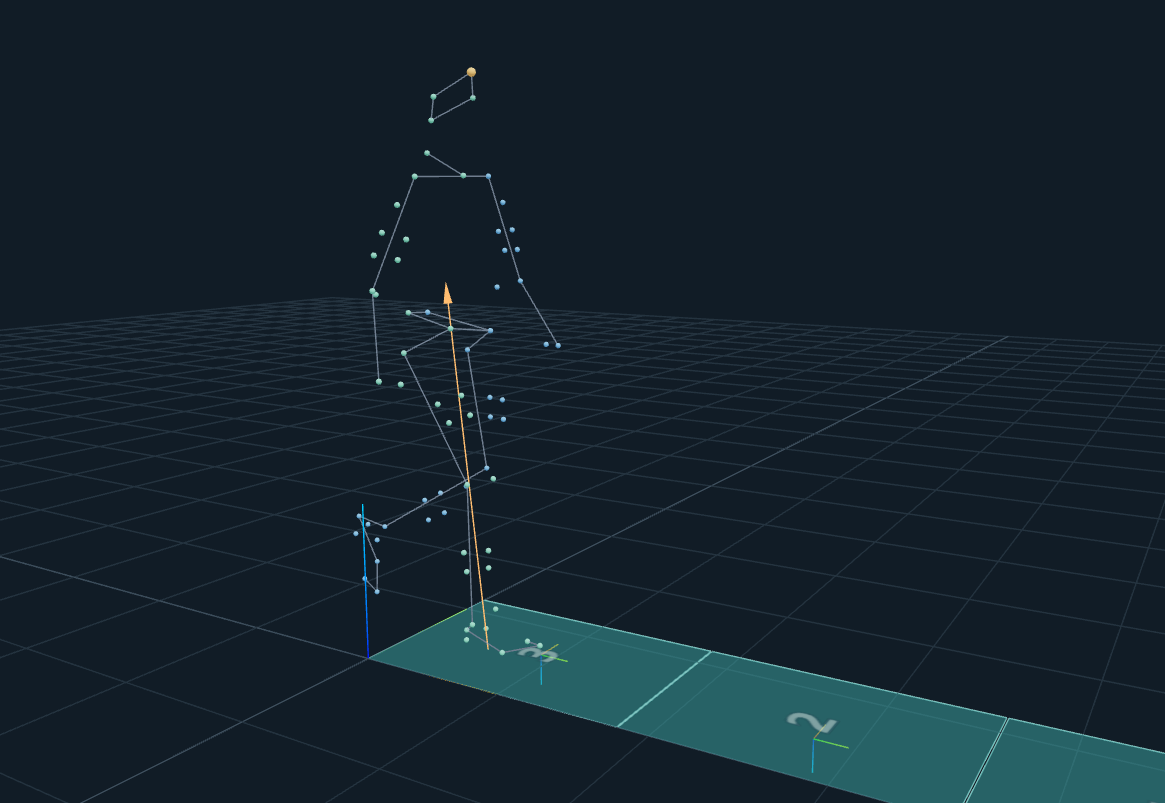
View markers and connections, force platforms and force vectors, and rigid bodies. Toggle local coordinate-system helpers for platforms and bodies.
Use Data Viewer and Data Explorer with Ctrl/Cmd and Shift multi-column selection. Plot available analog, EMG, force and IK/ID data in the shared Signal Inspector.
Add, edit or remove events and relabel markers and supported data labels. Review label and event edits with undo and redo.
Preview an interactive crop in the plots using physical time across synchronized streams. IK/ID results crop only when trial alignment is proven; independent timelines remain intact.
Export C3D or supported H5, and convert C3D ↔ H5 after a compatibility and loss review. Export the 3D scene as a PNG image or, where supported by the browser, as a WebM video.
Live statistics require JavaScript and a reachable statistics service. Dashes mean unavailable, not zero.
Inspect JE Motion Lab’s source on GitHub. Public documentation covers supported formats, validation notes and known limitations. The application is licensed under PolyForm Noncommercial License 1.0.0; separate commercial licenses are available exclusively to organizations and business users requiring commercial use (B2B).
Read the source, report a reproducible issue, or discuss a contribution with the maintainers.
Browse source ↗Issues & contributions ↗Read the license ↗Open the viewer, load a local file, and explore your motion data.
Launch JE Motion Lab MoCap Viewer